


For your daily work
Save code snippets
Save reusable functions, shell commands, SQL queries, regex, configs, API examples, and anything else you don’t want to write twice.
Code · Commands · Queries

Save, organize, search, and securely share code snippets and AI prompts from one developer-first library. Use folders and tags to keep everything organized and find reusable work in seconds.
Free web beta · Create an account to save your library.
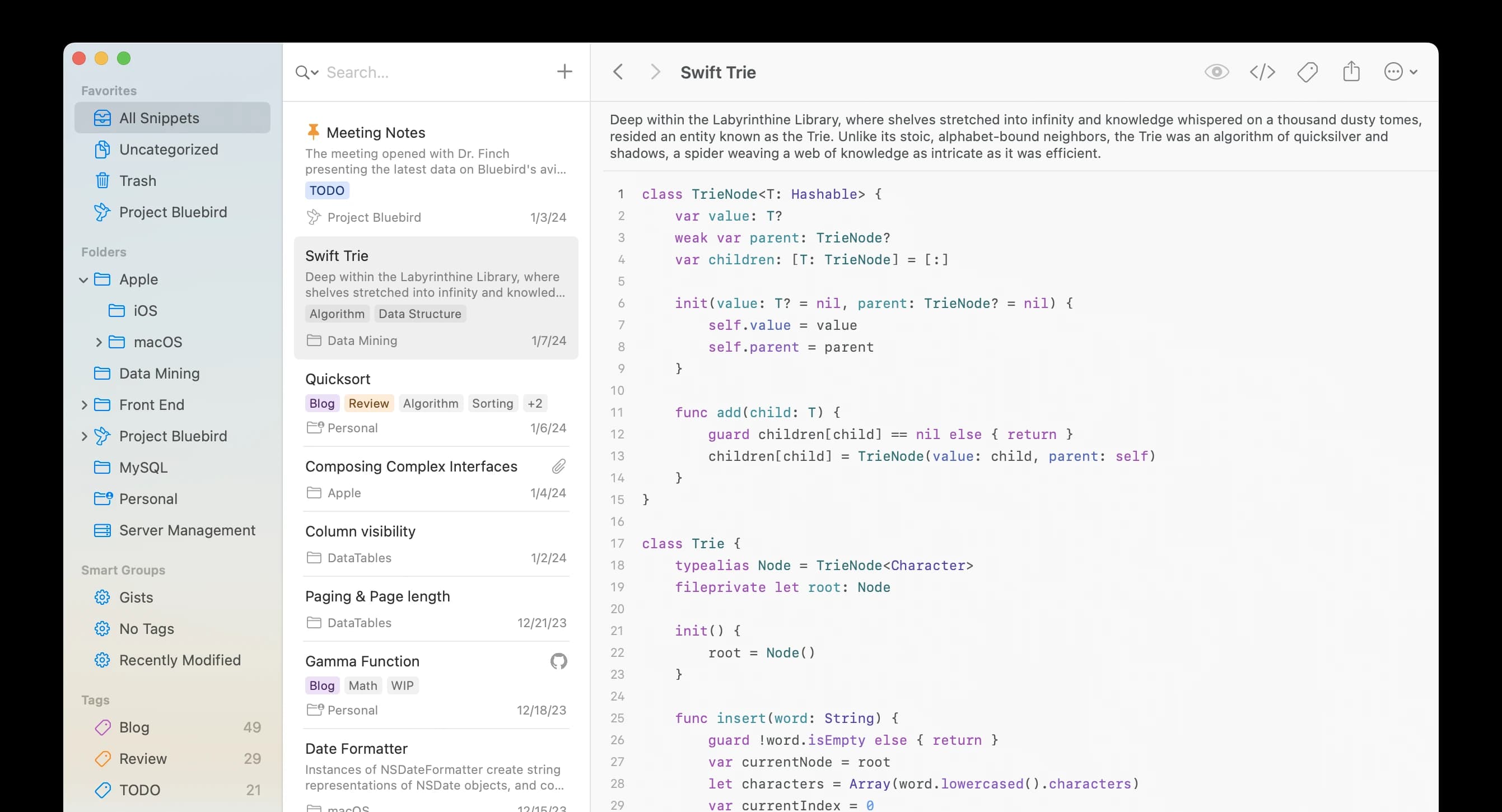
Stop digging through old projects, notes, bookmarks, and chat history for something you already wrote. Give reusable code snippets, AI prompts, commands, queries, configs, and notes one organized, searchable home.
For your daily work
Save reusable functions, shell commands, SQL queries, regex, configs, API examples, and anything else you don’t want to write twice.
Code · Commands · Queries
For your AI workflow
Build a personal prompt library for ChatGPT, Claude, Cursor, and other AI tools. Keep the prompts that work instead of recreating them.
Save · Copy · Open in chat
For a growing library
Use folders and tags to keep your library clean as it grows. Group items by project, language, workflow, or client.
Folders · Tags
For the next time you need it
Search across titles, notes, tags, and languages. The thing you saved months ago is only a few keystrokes away.
Search · Filters
For teammates and anyone you choose
Share one snippet or prompt without opening your whole library. Turn a link off or choose when it expires.
Individual links · Expiry
For peace of mind
Add a password to encrypt shared content. Share intentionally, while the rest of your library stays private.
Password protection · Private library
Your snippet manager shouldn’t be trapped inside one editor. Keep reusable code and prompts close on the web and macOS. VS Code, Cursor, Chrome companions, and mobile apps are planned.
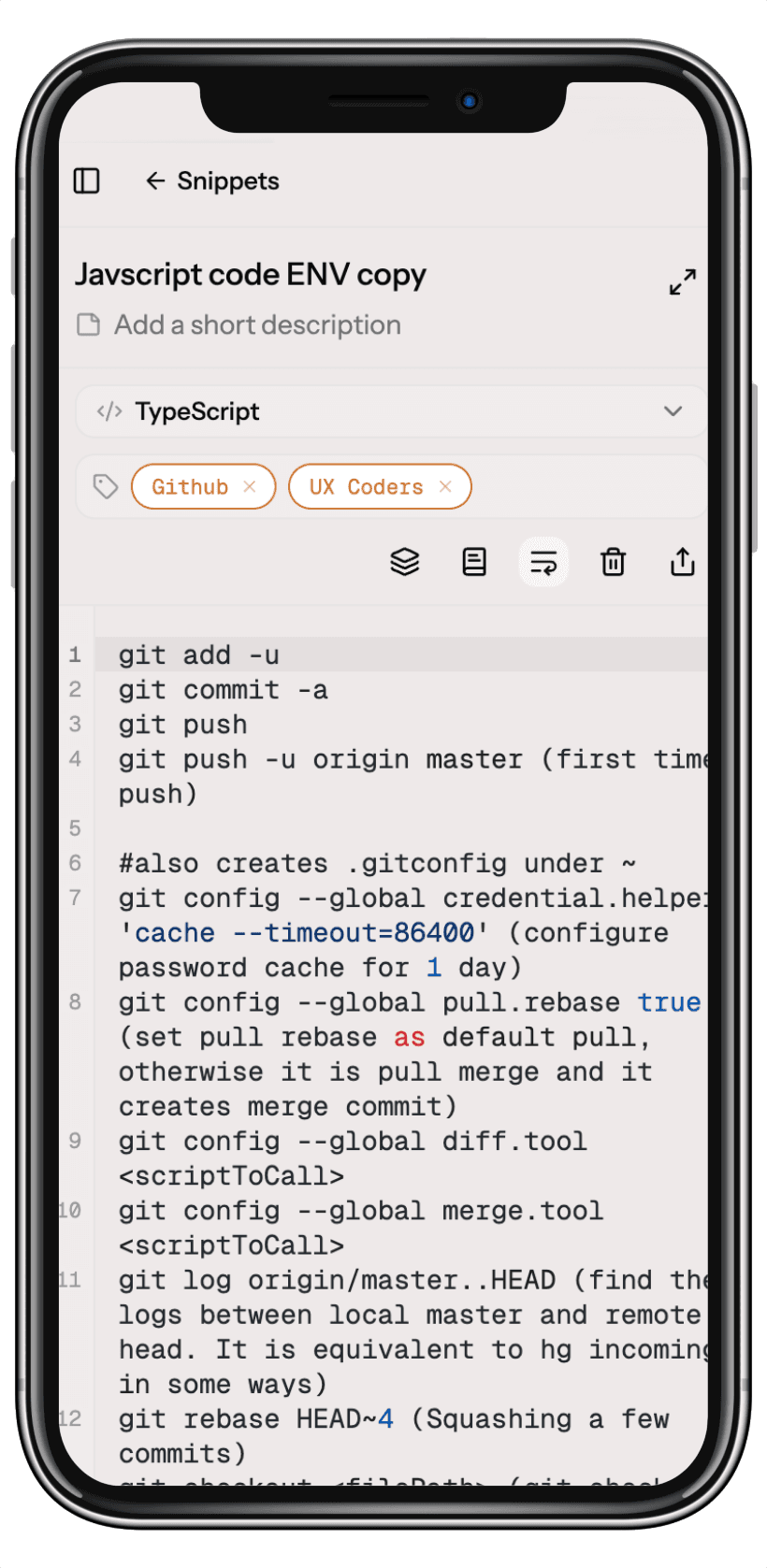
Mobile coming soon
Private by default
Send useful code or an AI prompt without exposing your entire library. Protected links put you in control of exactly what you share.
One snippet per link. Your complete library stays private.
Add a password to encrypt the content you share.
Choose an expiry or turn the link off when you’re done.
Save it once. Organize it your way. Find it when you need it.
Free web beta · An account saves your library.
Built for the work you reuse
Illustrative examples — customer testimonials coming soon.
“The code I reuse is finally easy to find. Snippets, commands, and notes all have a home.”
Example testimonial
Frontend developer
“A place for the prompts that work, alongside the code and queries I use every day.”
Example testimonial
Full stack developer
“Share exactly what someone needs, with a password and an expiry when the work calls for it.”
Example testimonial
Engineering team
Simple pricing
All the tools you need to keep your snippets organized, in sync, and ready wherever you work.
For individual developers
$8 / month
or $69/ yearSave 20%
Everything you need to stay productive across all your devices.
No credit card required.
For teams and organizations
$12 / user / month
or $99/ user / yearSave 20%
Share knowledge, build together, and keep your team in sync.
No credit card required.
14-day free trial
No credit card required.
Cancel anytime
No long-term commitments.
Trusted by developers
Build solo or with your team.

Ready to roam?
Join thousands of developers who keep their code close.
Free to get started. No account required for local use.